The problem
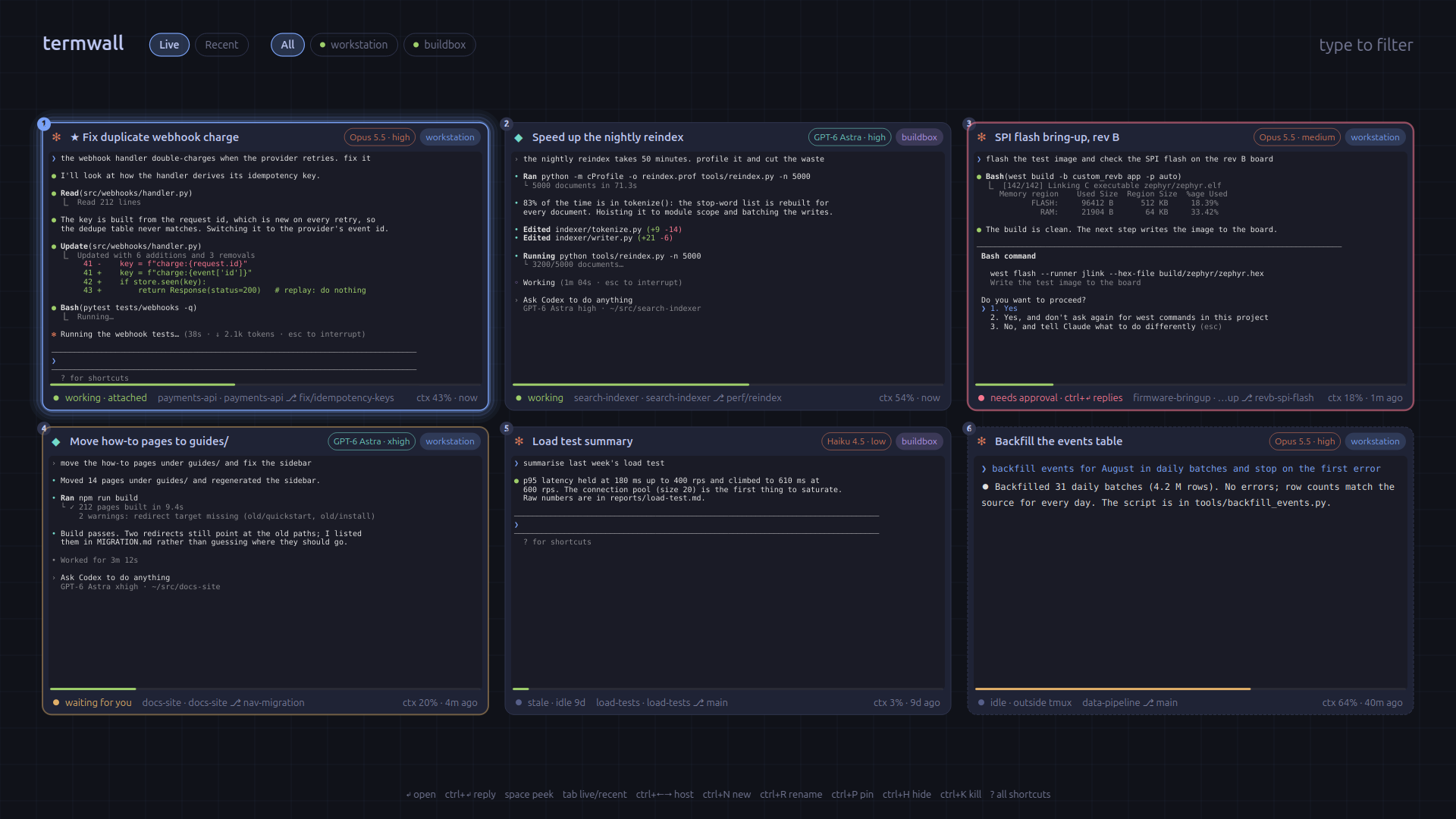
An agent that's working doesn't need me. One that has stopped to ask a question, or is waiting for permission to run a command, is wasting time until I notice. With ten of them on two machines in terminals I can't see, noticing is most of the overhead.
Termwall
One hotkey brings up every Claude Code and Codex session on every machine: what it's doing, whether it's busy, idle, waiting on me or blocked on an approval, which model it's on, how full its context is. From there I can jump into the session, answer the prompt, or search old transcripts.
- Nothing to install on remote machines. The remote half is plain standard-library Python sent over ssh on each connection.
- "Is it blocked" is decided from the shape of the screen, with tests for each shape rather than guesswork.
- A phone client with push notifications. Pairing is a six-digit code that expires. The server binds to localhost; exposing it is a separate, deliberate step.
- Agents run with normal permissions. There's no skip-approvals option.
Guard rails
Three small tools with the same idea: limit the agent at a layer it doesn't control, refuse when unsure, log every decision.
| Tool | What it limits | When it can't tell |
|---|---|---|
| Browser guard | While any tab is on a guarded site, the browser is read-only for the agent: 10 interaction tools are blocked | Denies |
| Scoped mail tool | One read-only OAuth scope; every query fenced to one sender; the sender checked again after fetch | Refuses a token with any wider scope |
| MCP reaper | Kills tool servers stuck at full CPU while idle, only after two hot samples 150 s apart | Leaves the process alone |
Getting the mail tool ready to publish turned up a real bug: the sender check accepted a spoofed display name. Fixed, with a test.
Keep or strip the thinking?
A common trick to save context is to drop the model's earlier reasoning between tool calls. I wanted to know what that costs, so I ran a small A/B on a local model, 90 trials.
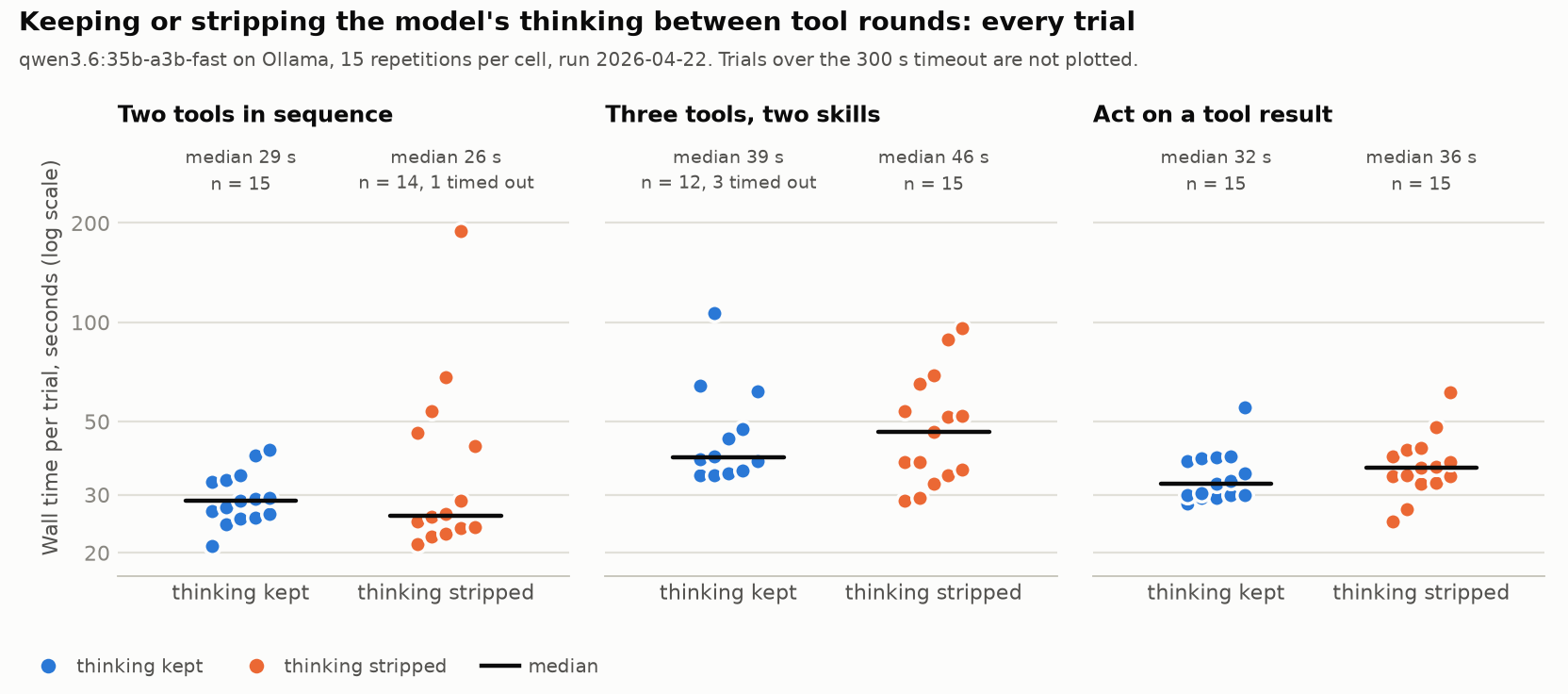
Stripping cost about half a tool round extra on the multi-step scenario. Completion looked a bit worse too, but the sample is too small to call it and the write-up says so. All the transcripts are in the repo.
Not shown
The overlay runs on Linux with GNOME; Macs work as remote hosts only. The published browser guard is a configurable version of the one I actually run, with the same rules tested, not the identical file.